OpenClaw: An AI Developer Assistant That Works From Your Terminal
Most AI tools only understand your project once you paste code into them. A terminal-native assistant already has the files and structure, which is why its suggestions land closer to what you need.
 Vanshit Patel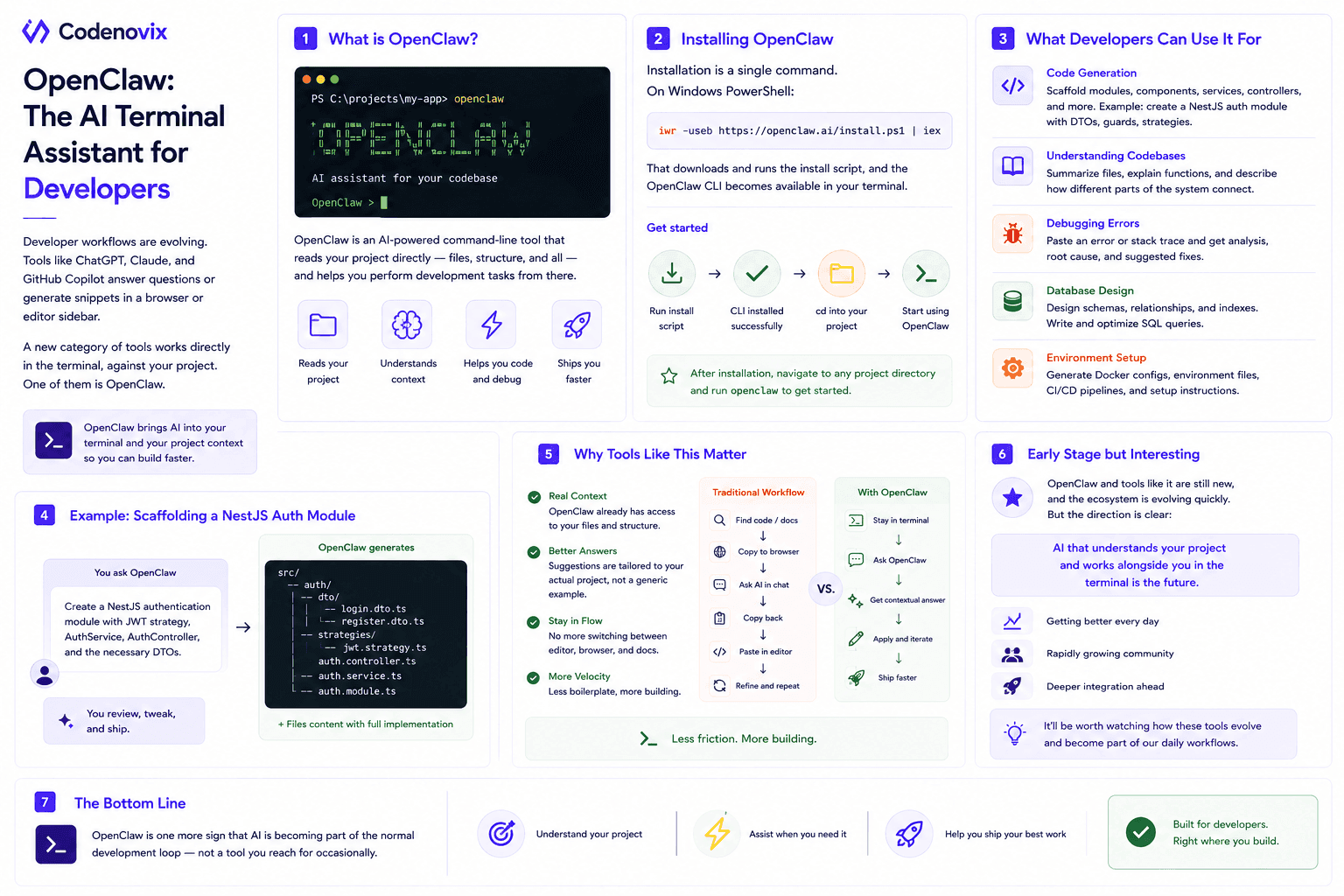
The way developers interact with AI tools is changing quickly. Most of us are familiar with tools like ChatGPT, Claude, or GitHub Copilot — they answer questions, generate snippets, or explain code from inside a browser tab or an editor sidebar.
A newer category of tools skips that back-and-forth entirely and works directly inside the terminal, against the project itself. One of them is OpenClaw.
What OpenClaw Is
OpenClaw is an AI-powered command-line tool designed to assist developers while they work on a project. Instead of copying code from a chat window into an editor, it reads the project folder directly — files, structure, and all — and helps perform development tasks from there.
In simple terms, it acts like a development assistant that sits inside your terminal and helps you move faster.
Installing OpenClaw
Installation is a single command. On Windows PowerShell:
iwr -useb https://openclaw.ai/install.ps1 | iexThat downloads and runs the install script, and the OpenClaw CLI becomes available in the terminal. From there you cd into a project directory and start using it.
What Developers Can Use It For
Code generation. Ask it to scaffold a module or component for a backend project — a developer on Node.js or NestJS could request a new authentication module and get back a suggested structure and implementation.
Understanding codebases. Joining a new project means spending time just figuring out how it's laid out. A terminal-based assistant can summarize files, explain functions, and describe how the pieces connect.
Debugging errors. Rather than searching docs or forums, you can hand it an error directly and ask it to analyze the failure and suggest fixes.
Database design. It can help with schema design, table relationships, and writing SQL — a useful starting point for backend developers on Postgres or MySQL.
Environment setup. Setting up a dev environment can eat more time than writing the feature itself. It can generate Docker configs, env files, and CI/CD setup steps.
Why Tools Like This Matter
The real advantage is context. Most AI tools don't understand your project until you manually paste code into them. A terminal-based assistant already has direct access to the project's files and structure, so its suggestions land closer to what you actually need.
That changes the workflow: instead of bouncing between editor, browser, and documentation, you stay in the terminal and pull the assistant in when you need it.
Early Stage but Interesting
Tools like OpenClaw are still new, and the ecosystem around terminal-native AI assistants is moving fast. But the underlying idea — an AI tool that understands the project and works alongside the developer rather than in a separate window — is becoming more common, and it feels natural if you already spend most of your day in the terminal.
It'll be worth watching how these tools evolve and how deeply they end up integrated into everyday development workflows. For now, OpenClaw is one more sign that AI is becoming part of the normal development loop rather than a tool you reach for occasionally.
Found this useful?
Share it with the dev community or cross-post with a canonical link back here.
Cross-posting to dev.to or Hashnode? Use this as your canonical URL: https://www.codenovix.com/blog/openclaw-ai-terminal-assistant
Related articles
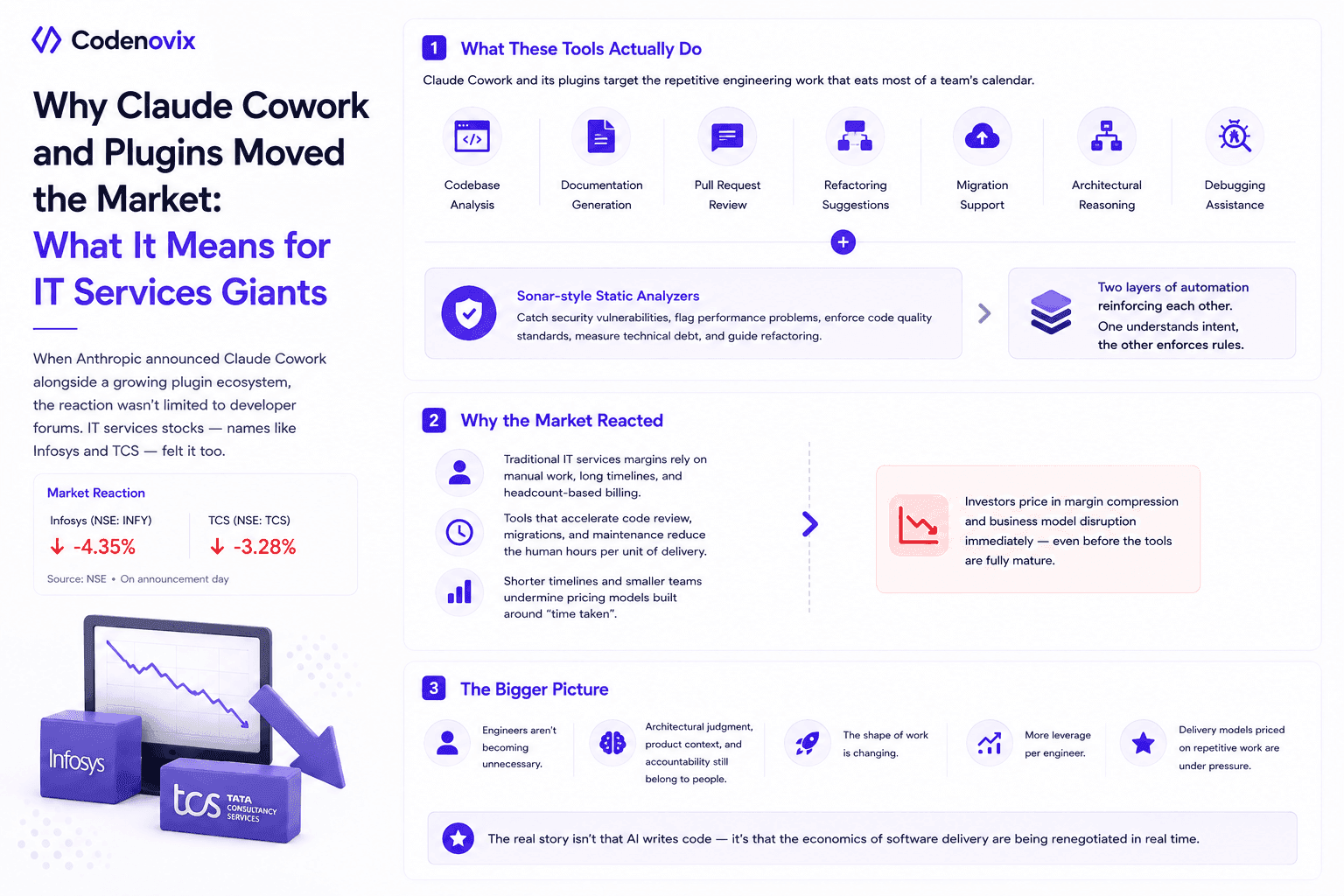
What Claude Cowork, New Plugins, and Sonar-Style Analysis Tools Say About the Future of Software
IT services stocks moved when Anthropic announced Claude Cowork and its plugins. Here's what these tools and Sonar-style analyzers actually automate, and why that spooked the outsourcing model.
 Vanshit Patel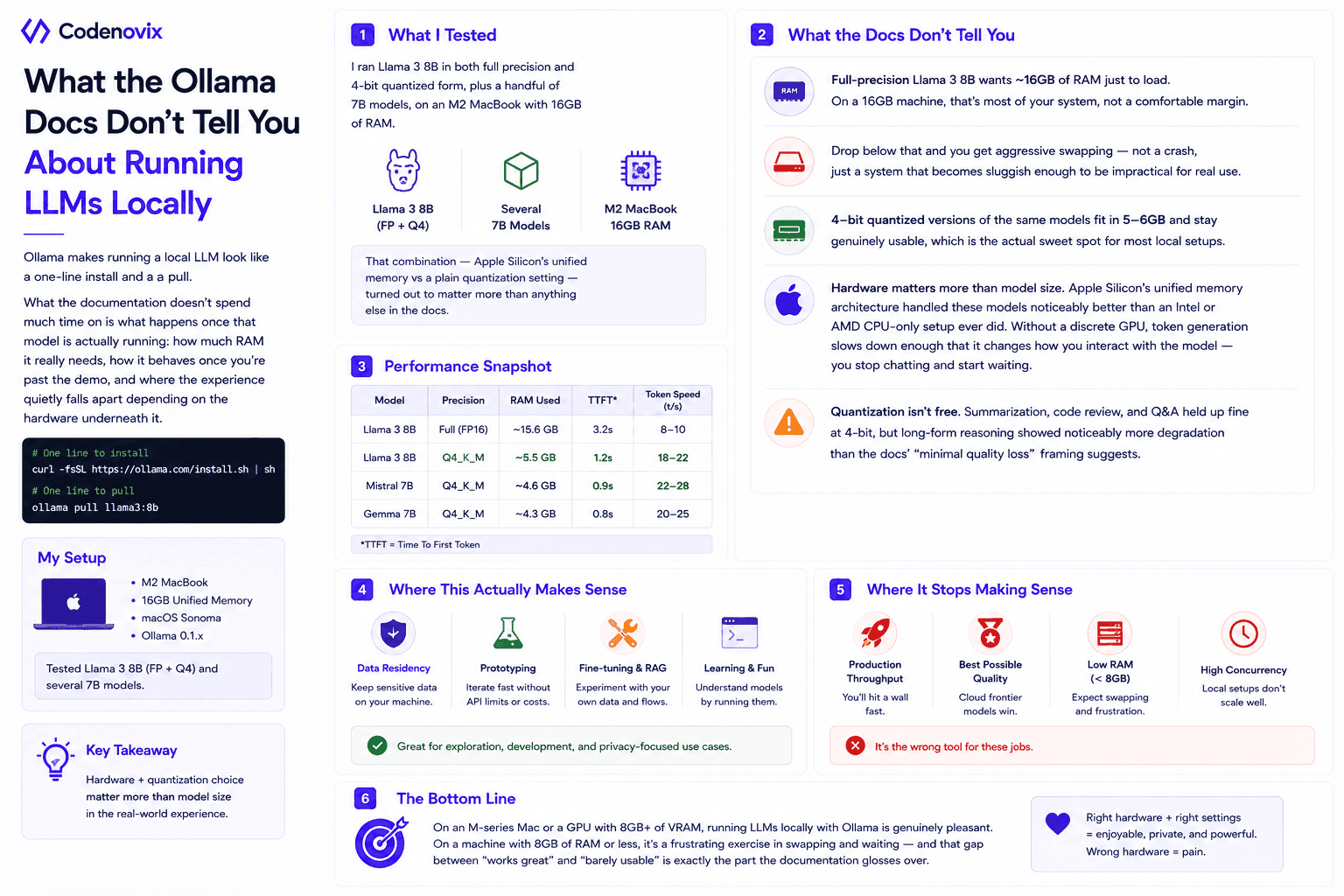
Running LLMs Locally with Ollama: What the Documentation Doesn't Tell You
Ollama's docs cover the install and the pull command. They don't cover the 16GB RAM cliff, the swapping, or why Apple Silicon runs circles around a CPU-only setup.
Vanshit Patel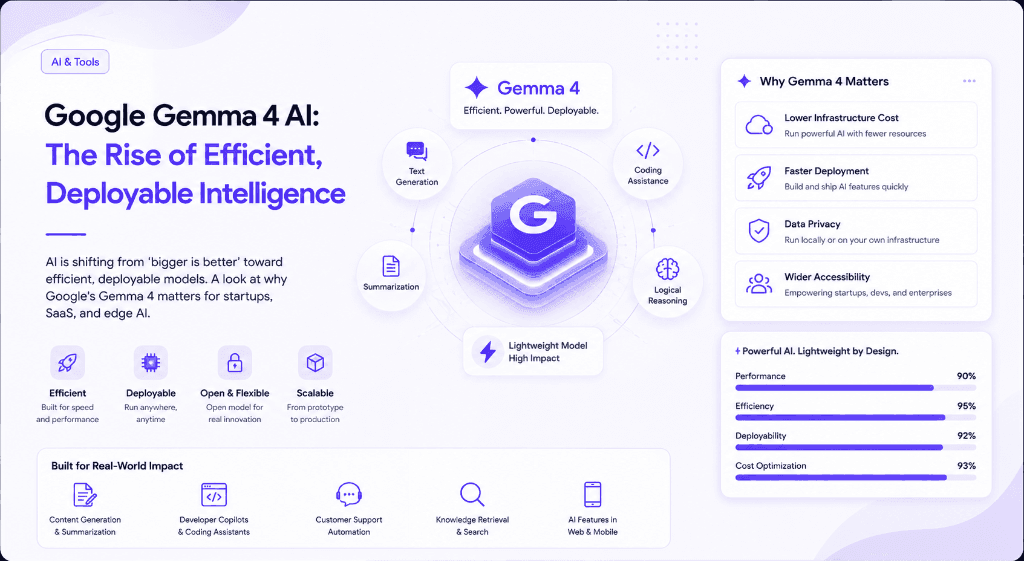
Google Gemma 4 AI: The Rise of Efficient, Deployable Intelligence
AI is shifting from 'bigger is better' toward efficient, deployable models. A look at why Google's Gemma 4 matters for startups, SaaS, and edge AI.
Vanshit Patel