Beyond Passwords: A Developer's Guide to OAuth and Social Login
Password forms are a liability for users and developers alike. How OAuth's authorization-code flow, provider trust, and stateless JWTs replace stored credentials entirely.
 Vanshit Patel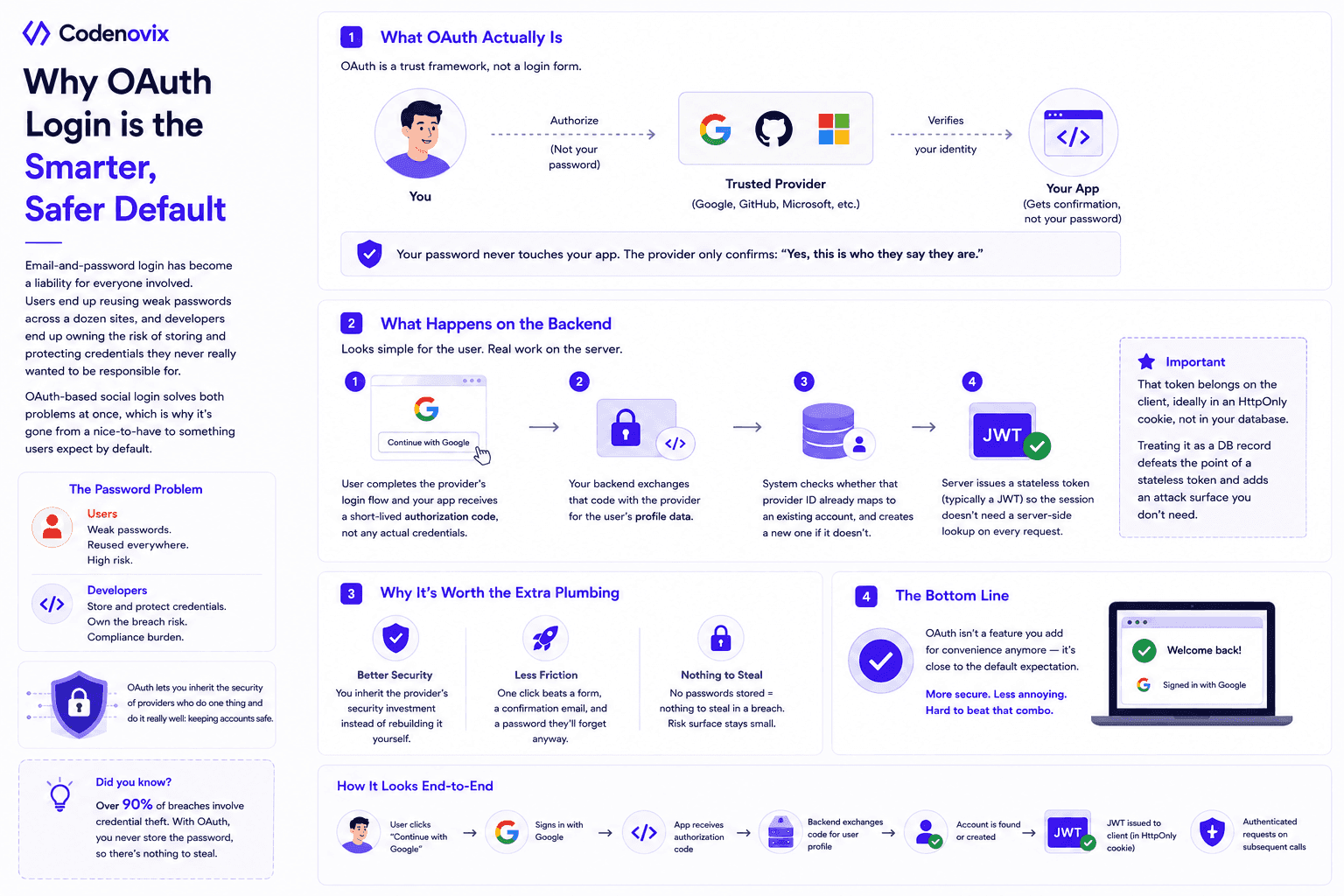
Email-and-password login has become a liability for everyone involved. Users end up reusing weak passwords across a dozen sites, and developers end up owning the risk of storing and protecting credentials they never really wanted to be responsible for. OAuth-based social login solves both problems at once, which is why it's gone from a nice-to-have to something users expect by default.
What OAuth Actually Is
At its core, OAuth is a trust framework, not a login form. Instead of handing your password to an app, you authorize a provider you already trust — Google, GitHub, whoever — to vouch for who you are. The app never sees your password; it only ever sees a confirmation from the provider that you are who you say you are.
What Happens on the Backend
The flow looks simple from the user's side — click "Continue with Google" — but the backend has real work to do:
- The user completes the provider's login flow and your app receives a short-lived authorization code, not any actual credentials.
- Your backend exchanges that code with the provider for the user's profile data.
- The system checks whether that provider ID already maps to an existing account, and creates a new one if it doesn't.
- The server issues a stateless token (typically a JWT) so the session doesn't need a server-side lookup on every request.
One detail worth getting right: that token belongs on the client, ideally in an HttpOnly cookie, not sitting in your database. Treating it as a database record you manage defeats the point of using a stateless token in the first place, and adds an attack surface you don't need.
Why It's Worth the Extra Plumbing
Three things make this worth the setup cost. You inherit the provider's security investment instead of rebuilding it yourself. Signup friction drops dramatically — one click beats a form, a confirmation email, and a password the user will forget anyway. And there's simply nothing to steal in a breach, because you were never storing the password to begin with.
The Bottom Line
OAuth isn't a feature you add for convenience anymore — it's close to the default expectation. It manages to be both more secure and less annoying than the password form it replaces, which is a rare combination.
Found this useful?
Share it with the dev community or cross-post with a canonical link back here.
Cross-posting to dev.to or Hashnode? Use this as your canonical URL: https://www.codenovix.com/blog/oauth-social-login-developer-guide
Related articles
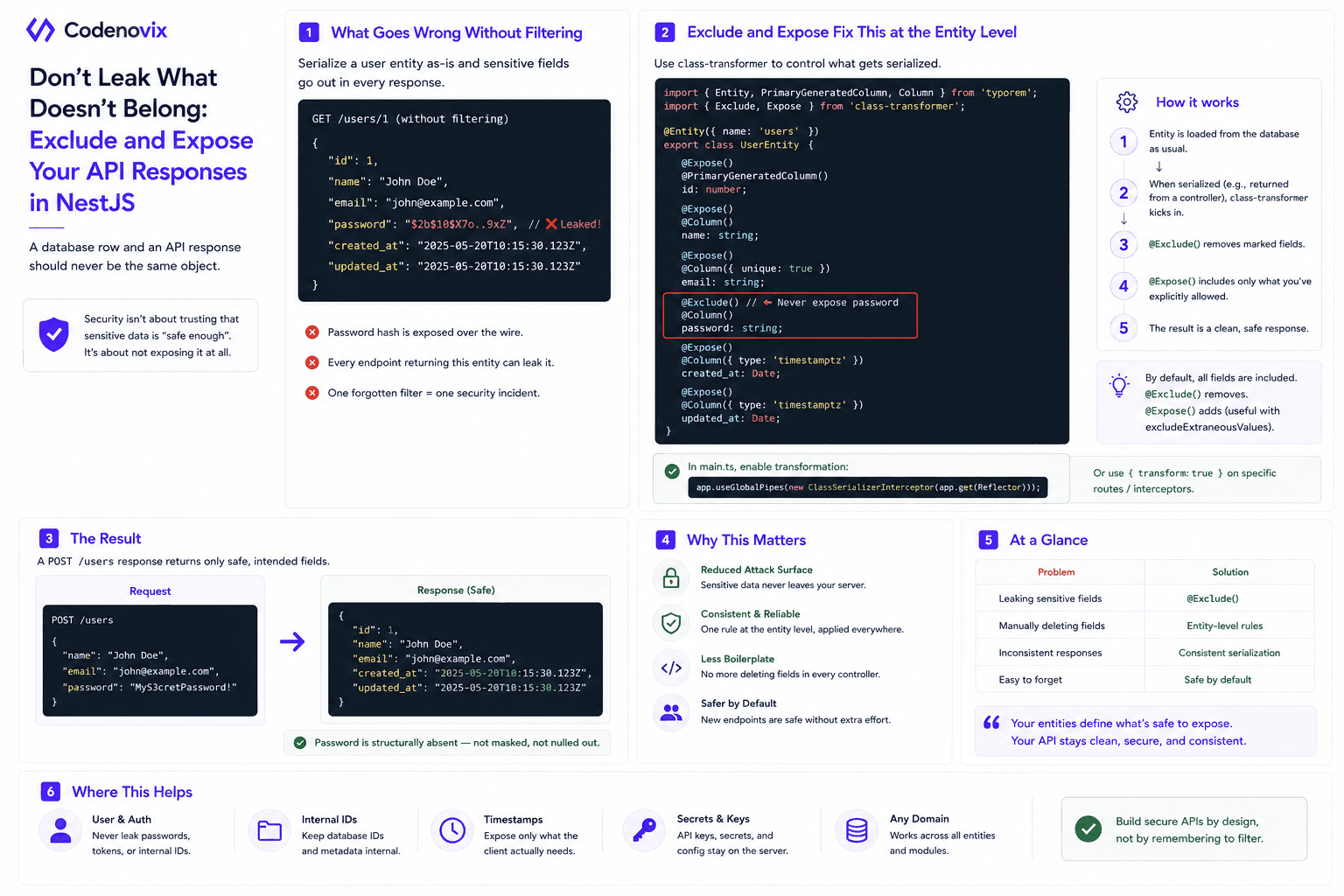
Using Exclude and Expose in NestJS Entities to Control API Responses
A hashed password still shouldn't leave your API. class-transformer's @Exclude and @Expose decorators make an entity define what's safe to serialize, instead of trusting every controller to filter it manually.
 Vanshit Patel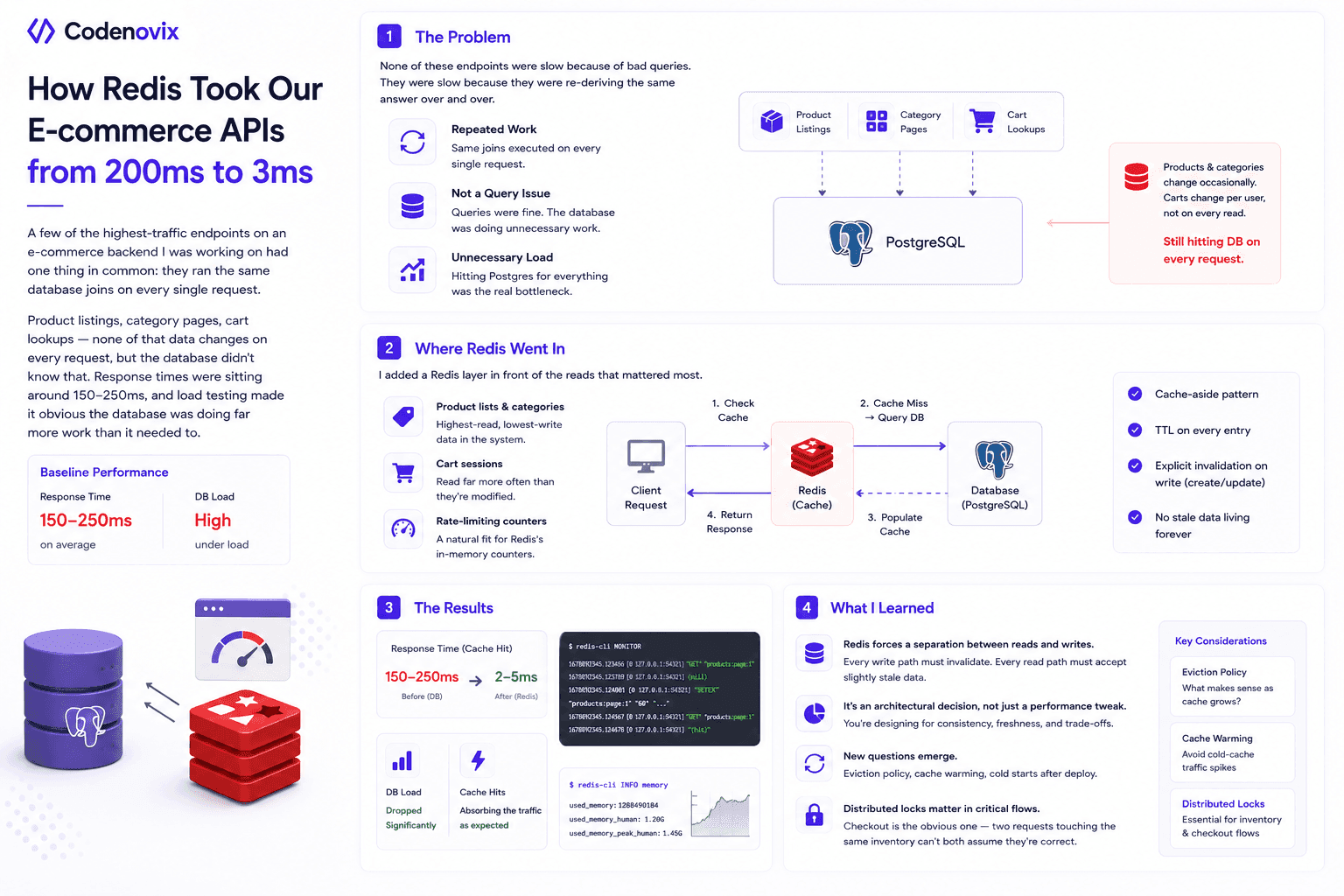
I Added Redis Caching to My E-Commerce Backend, and the Performance Difference Surprised Me
High-read endpoints were re-running the same database joins on every request, pushing response times to 150-250ms. Here's how a cache-aside Redis layer cut that to single-digit milliseconds.
Vanshit Patel
How Designing a Clean Backend Folder Structure Improved Performance and Scalability
A messy backend structure doesn't just look bad — it slows down debugging, onboarding, and scaling. Here's how reorganizing folders into Core, Config, Module, and Shared layers changed both.
Vanshit Patel